
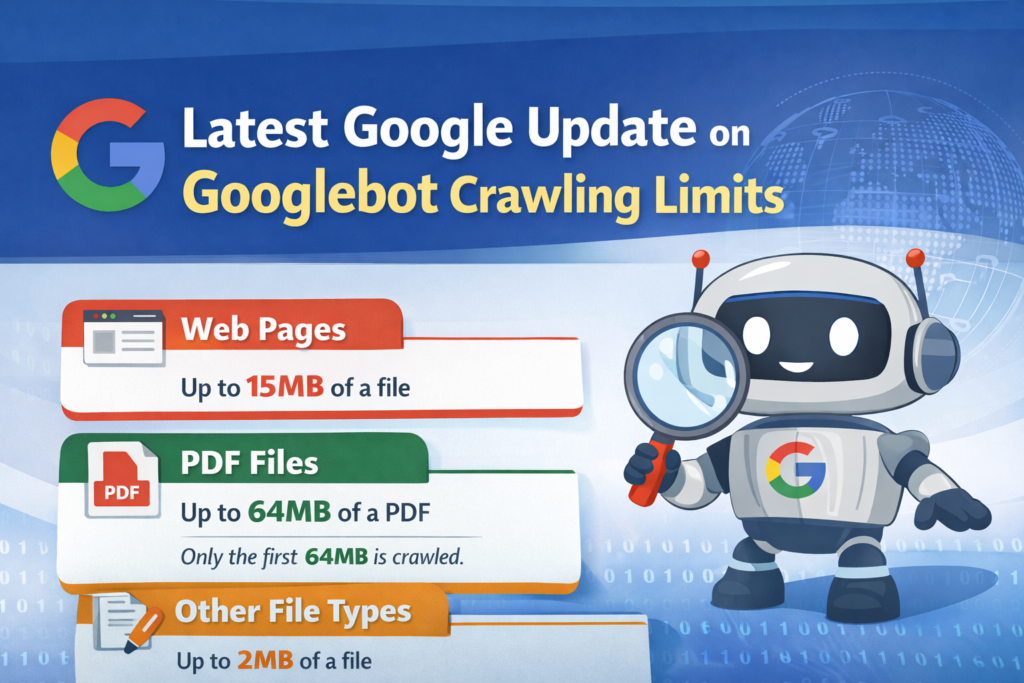

Google recently clarified how much content Googlebot can crawl from different file types. This update does not change how Google Search works, but it removes confusion about file size limits during crawling.
Many website owners assume that Googlebot reads entire pages or files. However, Googlebot actually stops crawling after a specific size limit. Anything beyond that limit may not be considered for indexing.
These clarifications are important because they affect how Google understands your content, especially for large web pages, PDFs, and other file formats. If critical content appears after the limit, Google may never see it.
Understanding the latest Google update on Googlebot crawling limits helps you structure content smarter and avoid hidden SEO issues.
What Are Googlebot Crawling Limits and Why They Exist
Googlebot crawling limits define how much data Google’s crawler downloads from a file when it visits a page or document. These limits exist to ensure efficient crawling across billions of websites.
Google has clearly stated that its crawlers do not always process entire files. Instead, they crawl only a specific portion of content. Anything beyond that portion may be ignored.
For example, Google explained that by default its crawlers and fetchers only crawl the first 15MB of a file. This applies to most web pages and HTML content. If your page is larger than 15MB, Googlebot may not see the remaining content.
Moreover, Googlebot applies different limits to different file types. Supported file formats like documents have smaller limits, while PDF files have larger limits. This is because PDFs often contain more structured and valuable content.
These limits are not new, but Google recently clarified them in its help documents. The goal is to help developers and SEO professionals understand how Googlebot processes content.
In reality, most websites are far smaller than these limits. Therefore, many site owners do not need to worry. However, large websites, heavy PDFs, and complex web pages should pay attention.
Latest Googlebot File Size Limits Explained Simply
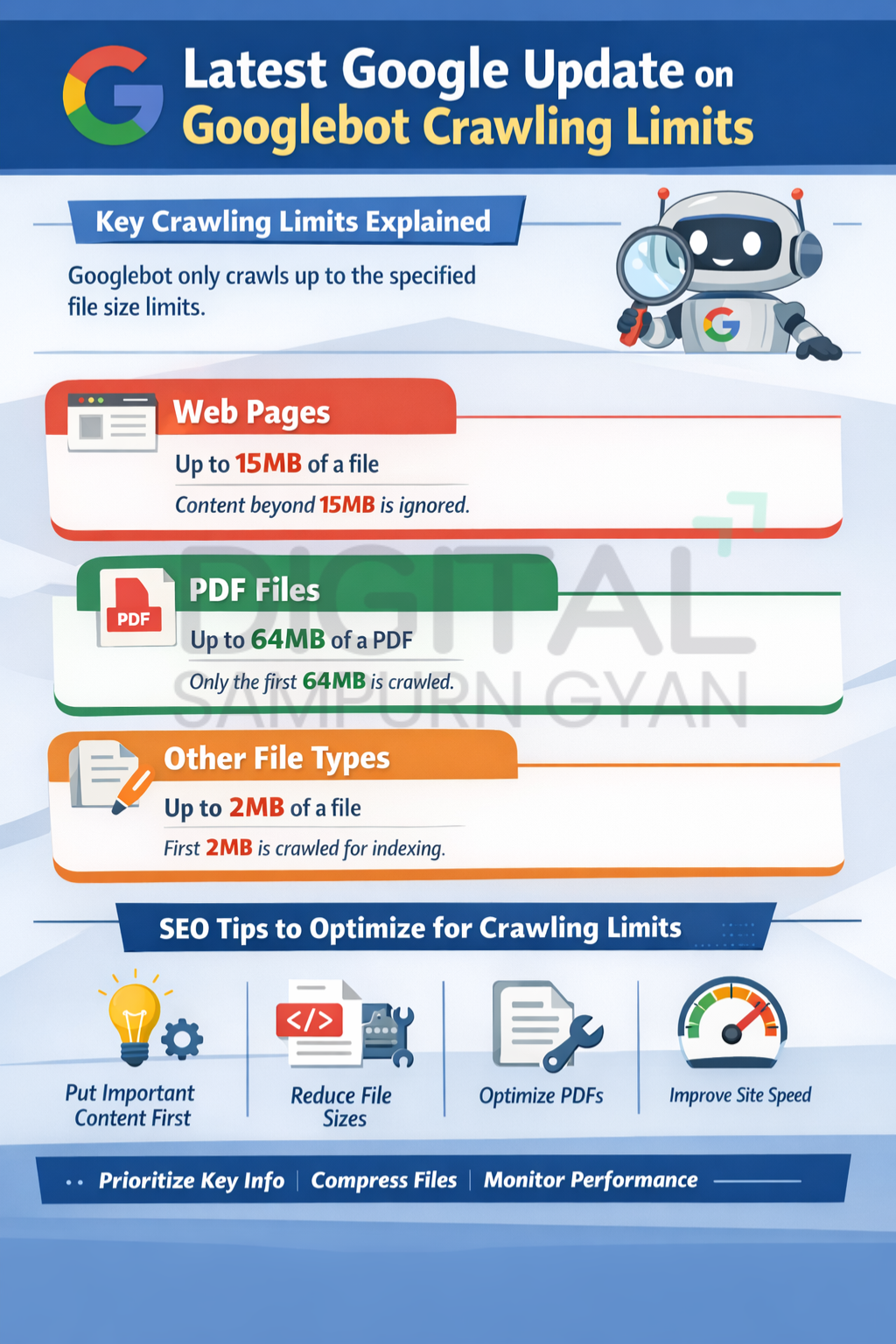
Google clarified specific crawling limits for different file types. These limits determine how much content Googlebot downloads before stopping.
15MB Limit for Web Pages
Google stated that its crawlers usually crawl only the first 15MB of a file. This applies mainly to HTML pages and general web content.
If your web page exceeds 15MB, Googlebot will ignore the remaining content. Therefore, important text placed far down the page may not be indexed.
However, most web pages are much smaller than 15MB. So this limit rarely affects typical blogs or business websites.
2MB Limit for Supported File Types
For supported file types other than PDFs, Googlebot crawls only the first 2MB. This includes formats like text documents and other supported resources.
This limit is much smaller compared to web pages. Therefore, large documents should be structured carefully to ensure key content appears early.
64MB Limit for PDF Files
PDF files have a higher limit. Googlebot crawls up to 64MB of a PDF when indexing for Google Search.
Google gave PDFs a larger limit because they often contain long reports, manuals, and research documents. Still, content beyond 64MB may not be considered.
Separate Limits for Resources
Google also clarified that resources like CSS and JavaScript files are fetched separately. Each resource has its own size limit.
Once Googlebot reaches the limit, it stops downloading the file and sends only the downloaded part for indexing.
This means that page rendering depends on how efficiently your resources are structured.
How These Crawling Limits Impact SEO and Content Strategy
The updated clarification changes how SEO professionals think about content structure and file size.
One major impact is content visibility. If critical information appears after the crawling limit, Googlebot may not index it. This can reduce rankings for important keywords.
For example, if a long PDF contains key insights near the end, Googlebot might never reach that section. As a result, that content will not contribute to search visibility.
Another impact is technical SEO. Large and heavy files can slow down crawling efficiency. If Googlebot spends too much time downloading unnecessary data, it may crawl fewer pages overall.
Moreover, modern websites often use heavy JavaScript and large assets. Since each resource has its own limit, inefficient scripts can affect how Google renders pages.
The update also highlights the importance of content prioritization. Important information should appear early in the file, not buried deep inside.
For large websites, this clarification encourages smarter content design rather than longer content.
Therefore, SEO is no longer just about writing more content. It is also about structuring content in a way that Googlebot can actually read.
Practical SEO Tips to Adapt to Googlebot Crawling Limits
Adapting to Googlebot’s crawling limits does not require advanced technical skills. Simple changes can make a big difference.
Place Important Content at the Top
Key information should appear early in the page or document. This ensures Googlebot sees it before reaching the size limit.
For example, main headings, summaries, and primary keywords should be placed near the top.
Optimize Large PDF Files
If you publish long PDFs, break them into smaller documents when possible. This helps Googlebot process content more efficiently.
Also, ensure that the most important sections appear within the first 64MB.
Reduce Unnecessary Page Size
Avoid heavy images, excessive scripts, and unnecessary code. Large files increase crawling time and reduce efficiency.
Compress images and minify CSS and JavaScript to keep file sizes manageable.
Improve Content Structure
Use clear headings, short paragraphs, and logical sections. This improves both user experience and crawl efficiency.
Well-structured content helps Googlebot understand the page faster.
Monitor Technical Performance
Use tools like Google Search Console to identify crawling issues. Fix slow pages, broken resources, and indexing errors.
These steps help Googlebot crawl your site more effectively within its limits.
What This Update Means for the Future of SEO
Google’s clarification shows that efficiency is becoming more important than volume. Googlebot does not need to read everything to understand a page.
In the future, content quality and structure will matter more than sheer length. Websites that deliver clear and valuable information early will perform better.
Moreover, Google may continue refining how its crawlers handle large files and complex pages. As websites become more dynamic, crawling efficiency will become a key ranking factor.
Another trend is the growing importance of technical optimization. SEO professionals will need to balance content creation with performance optimization.
Additionally, user experience will indirectly influence crawling. Fast, clean, and well-organized websites are easier for Googlebot to process.
Therefore, the latest Googlebot crawling update is not just a technical detail. It reflects Google’s broader focus on efficiency, relevance, and usability.
FAQs About Latest Googlebot Crawling Limits
1. What is the maximum size Googlebot crawls for web pages?
Googlebot usually crawls only the first 15MB of a web page. Any content beyond that size may be ignored. However, most websites are much smaller than this limit, so it rarely causes issues.
2. How much of a PDF file does Googlebot crawl?
For PDFs, Googlebot crawls up to 64MB when indexing for Google Search. Content beyond this limit may not be considered. Important information should appear within the first 64MB of the document.
3. What is the crawling limit for other supported file types?
For supported file types other than PDFs, Googlebot crawls only the first 2MB. This means large documents should be structured carefully so key content appears early in the file.
4. Does Googlebot crawl CSS and JavaScript files fully?
Googlebot fetches each resource like CSS and JavaScript separately. Each resource is subject to its own file size limit. If the limit is reached, Googlebot stops downloading the file.
5. Should small websites worry about Googlebot file size limits?
Most small websites do not need to worry because their pages are far below these limits. However, sites with heavy content, large PDFs, or complex scripts should pay attention.
6. Can crawling limits affect SEO rankings?
Yes, indirectly. If important content is beyond Googlebot’s crawling limit, it may not be indexed. This can reduce visibility and rankings for relevant keywords.
7. How can I optimize content for Googlebot crawling?
Place key content at the top, reduce file size, optimize PDFs, and improve site performance. Clear structure and efficient coding also help Googlebot crawl content effectively.
8. Are these Googlebot limits new?
Most of these limits existed earlier, but Google recently clarified them in its help documents. The update mainly improves transparency rather than changing crawling behavior.
Conclusion
Google’s clarification on Googlebot crawling limits reveals an important truth: not all content gets crawled equally. While the limits are generous, large pages and heavy files can still hide valuable content from Google.
By structuring content smartly, reducing file size, and prioritizing key information, websites can ensure Googlebot sees what truly matters. This approach not only improves crawling efficiency but also strengthens long-term SEO performance.