

Changing the photo on your Aadhaar card has become a common need. Sometimes the photo taken during enrollment is unclear, outdated, or simply does not match your current appearance. The good news is that the Aadhaar photo update process is simple and government-approved. However, many people still feel confused about whether the Aadhaar photo can be changed online and how the process actually works.
This guide explains everything in clear and simple language, based on real Aadhaar update rules, so you can take the right steps without mistakes.
Understanding Aadhaar Photo Update Rules
Can you change Aadhaar photo online fully?
Many people search for how to change photo in Aadhaar card online and expect a complete online solution. However, as per UIDAI rules, Aadhaar photo update cannot be done fully online from home. The request can be initiated online, but biometric verification and photo capture must be done at an authorized Aadhaar Seva Kendra or enrollment center.
This rule exists to prevent misuse and identity fraud. Aadhaar photos are linked with biometric data like fingerprints and iris scans. Therefore, UIDAI requires physical verification before approving any photo change.
When is Aadhaar photo change allowed?
UIDAI allows Aadhaar photo correction in multiple situations. For example, if your Aadhaar photo is blurred, very old, or taken during childhood, you can request an update. Many adults update their Aadhaar photo after 8–10 years to keep it current.
In addition, people who faced technical issues during enrollment, such as poor lighting or camera errors, are also eligible for a photo update.
Is Aadhaar photo update mandatory?
Aadhaar photo update is not mandatory unless the photo creates identification problems. For instance, if your Aadhaar is rejected during KYC verification due to photo mismatch, updating it becomes necessary. Otherwise, it remains optional and user-driven.
How to Initiate Aadhaar Photo Change Online
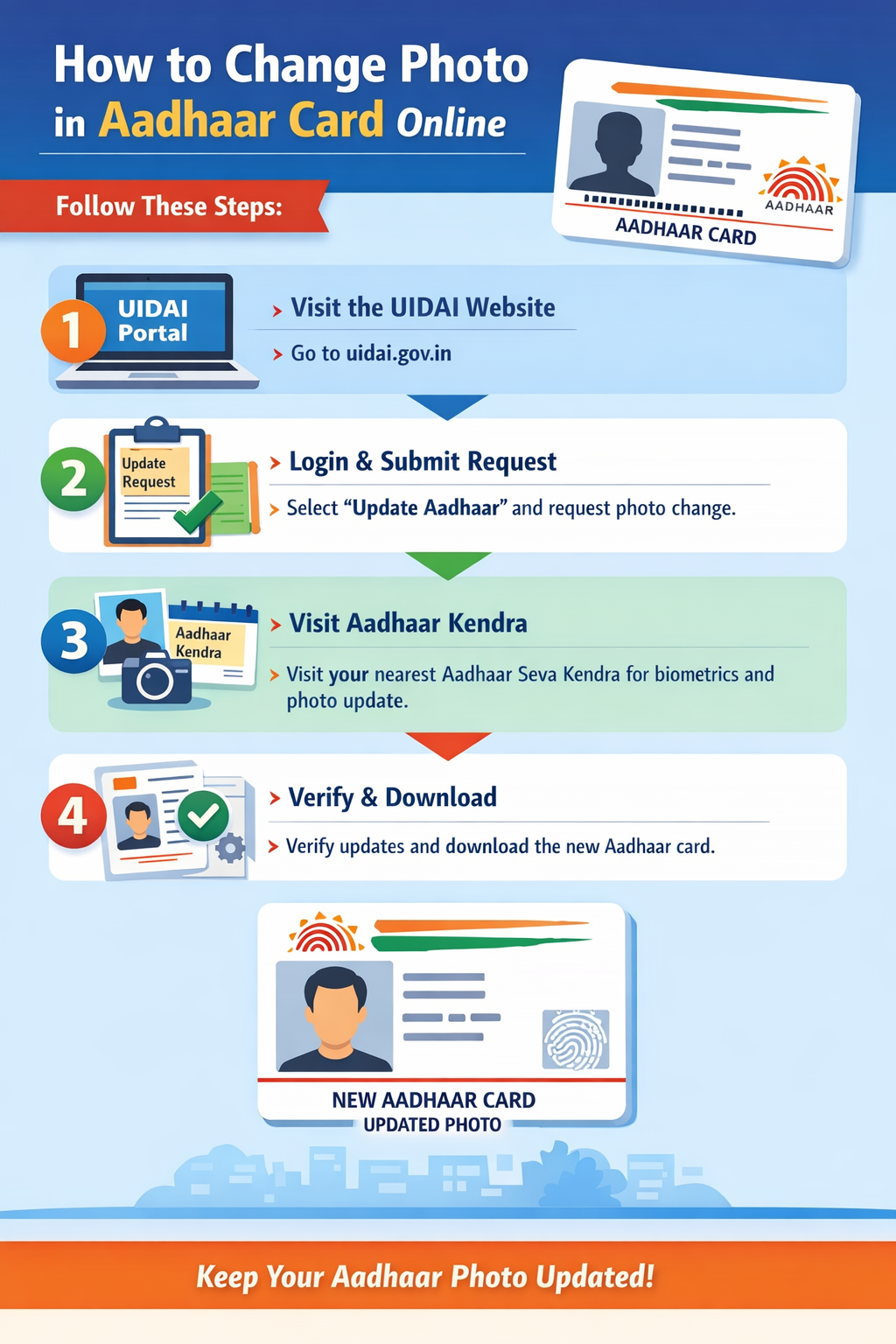
Step-by-step online initiation process
Although the photo itself is captured offline, UIDAI allows you to start the Aadhaar photo update process online. This saves time and reduces waiting at the center.
First, visit the official UIDAI website and go to the “Book an Appointment” section. Enter your Aadhaar number, captcha, and OTP to log in. After verification, select the option for Aadhaar Update and choose photo update.
Next, select your preferred Aadhaar Seva Kendra location and appointment slot. This online booking ensures faster service at the center.
Documents required for Aadhaar photo update
One advantage of Aadhaar photo correction is that no additional documents are required. Since the update is biometric-based, UIDAI does not ask for address proof or identity proof again.
However, it is important to carry your original Aadhaar card or Aadhaar number for verification. For children, a parent’s Aadhaar may also be required.
Fees for Aadhaar photo correction
UIDAI charges a nominal fee for Aadhaar photo update. Currently, the Aadhaar photo update fee is ₹100, including GST. This fee is paid at the Aadhaar center during your visit.
There are no hidden charges. Moreover, the same fee applies whether you update only the photo or combine it with other biometric updates.
What Happens at Aadhaar Seva Kendra
Biometric verification and photo capture
Once you reach the Aadhaar Seva Kendra at your scheduled time, the process is simple. The operator verifies your Aadhaar number and confirms the update request. After that, your live photo is captured using UIDAI-approved cameras.
The photo is taken under proper lighting and standard guidelines. You cannot submit a passport-size photo or selfie. UIDAI strictly uses live camera capture to maintain authenticity.
Fingerprint and iris scan update
In most cases, fingerprint and iris scans are also verified during the photo update process. This ensures that the Aadhaar record remains accurate and secure.
For senior citizens or individuals with worn fingerprints, the operator follows special UIDAI guidelines to complete verification smoothly.
Acknowledgment slip and URN
After completing the process, you receive an acknowledgment slip with a Update Request Number (URN). This URN is very important, as it helps you track Aadhaar photo update status online.
Always keep this slip safe until your updated Aadhaar is generated and delivered.
How to Track Aadhaar Photo Update Status Online
Checking status using URN
After visiting the Aadhaar center, many users want to know how long the Aadhaar photo update takes. Usually, the update process takes 7 to 15 working days.
You can track Aadhaar photo update status online by visiting the UIDAI website and selecting “Check Aadhaar Update Status.” Enter your URN and captcha to see real-time progress.
Common status messages explained
Sometimes the status shows “Under Process,” which means UIDAI is verifying your data. If it shows “Approved,” your Aadhaar is being updated. Once it shows “Completed,” you can download the updated e-Aadhaar.
In rare cases, the request may be rejected due to technical errors. If that happens, you can reapply without penalty.
Downloading updated Aadhaar card
Once the photo update is approved, you can download the updated Aadhaar card online. The e-Aadhaar is valid for all purposes and contains the new photo.
You can also request a PVC Aadhaar card if you prefer a physical copy with better durability.
Common Problems and Practical Tips
Why Aadhaar photo update gets delayed
Delays usually happen due to high application volume or technical verification issues. During peak periods, such as government scheme launches, processing time may increase.
Moreover, incorrect biometric capture or system downtime at the enrollment center can also cause delays.
Tips to ensure successful photo update
To avoid issues, visit the Aadhaar center with a clean face and neutral expression. Avoid heavy makeup, caps, or glasses unless medically required. Simple clothing and good posture help ensure a clear photo.
In addition, choose morning slots when systems are less overloaded. This small step often speeds up the process.
Updating Aadhaar photo for children
For children below 15 years, Aadhaar photo update is often combined with biometric updates. As children grow, UIDAI recommends biometric updates at age 5 and 15.
Parents should ensure the child is comfortable during the photo capture to avoid repeated visits.
FAQs on How to Change Photo in Aadhaar Card Online
Can I upload my own photo for Aadhaar card online?
No, UIDAI does not allow uploading your own photo. The Aadhaar photo must be captured live at an authorized Aadhaar Seva Kendra. This rule ensures identity authenticity and prevents misuse of Aadhaar data.
How many times can Aadhaar photo be changed?
There is no official limit on Aadhaar photo correction. However, frequent changes without valid reasons may raise flags. Usually, updating once every few years or when the photo is unclear is acceptable.
Is Aadhaar photo update free for senior citizens?
No, the Aadhaar photo update fee is the same for everyone, including senior citizens. The standard charge is ₹100, which includes biometric verification and processing.
How long does Aadhaar photo update take?
Aadhaar photo update usually takes 7 to 15 working days. In some cases, it may take up to 30 days due to verification delays or high application volume.
Can Aadhaar photo be changed without biometrics?
No, Aadhaar photo update always requires biometric verification. Fingerprints or iris scans are used to confirm identity before approving the new photo.
Does Aadhaar photo update affect KYC verification?
Yes, once updated, the new Aadhaar photo reflects in all KYC systems. This helps reduce rejection during bank, SIM, or document verification processes.
Can I combine Aadhaar photo update with address change?
Yes, you can request multiple updates in one visit. However, address change requires valid supporting documents, while photo update does not.
Final Thoughts
Updating your Aadhaar photo is a simple yet important step to maintain accurate identity records. While the complete process is not fully online, the online appointment system makes it convenient and transparent. By following UIDAI guidelines and visiting an authorized Aadhaar center, you can ensure a smooth update without stress.
If your Aadhaar photo is unclear or outdated, taking action now can save you from future verification problems. Book an appointment, follow the process, and keep your Aadhaar details up to date with confidence.