
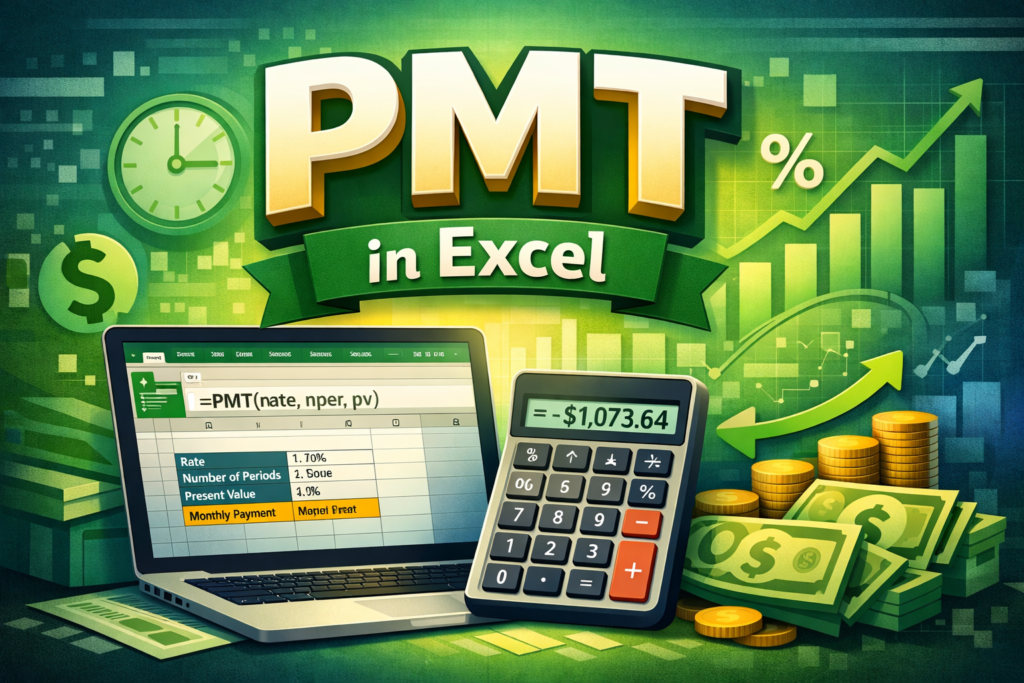

The PMT formula in Excel is one of those small tools that quietly makes a big difference. It helps calculate regular payments for loans or investments, using a fixed interest rate and time period. From home loans to car EMIs and even SIP-style investments, PMT gives clarity before money leaves your pocket. When used correctly, it turns Excel into a powerful financial planning assistant.
Many people avoid financial formulas because they look complex. However, the PMT function is surprisingly simple once you understand how it works and where it fits in real life.
Table of Contents
ToggleWhat Is the PMT Formula in Excel and Why It Matters
Meaning of PMT in Excel
PMT stands for “Payment.” In Excel, the PMT formula calculates the fixed payment amount required to repay a loan or reach an investment goal. It assumes a constant interest rate and equal payment intervals. Therefore, it is ideal for EMI calculations and long-term planning.
Where PMT Is Commonly Used
The PMT formula in Excel is widely used for home loans, personal loans, car loans, and education loans. In addition, it also works for investment planning where you invest a fixed amount regularly. As a result, both individuals and professionals rely on it daily.
Why PMT Is Important for Financial Decisions
Without PMT, people often guess their affordability. However, guessing leads to stress later. PMT shows exact monthly obligations upfront. Moreover, it allows easy comparison between loan options. Therefore, decisions become practical, not emotional.
Understanding the Syntax of the PMT Formula in Excel
Basic PMT Formula Structure
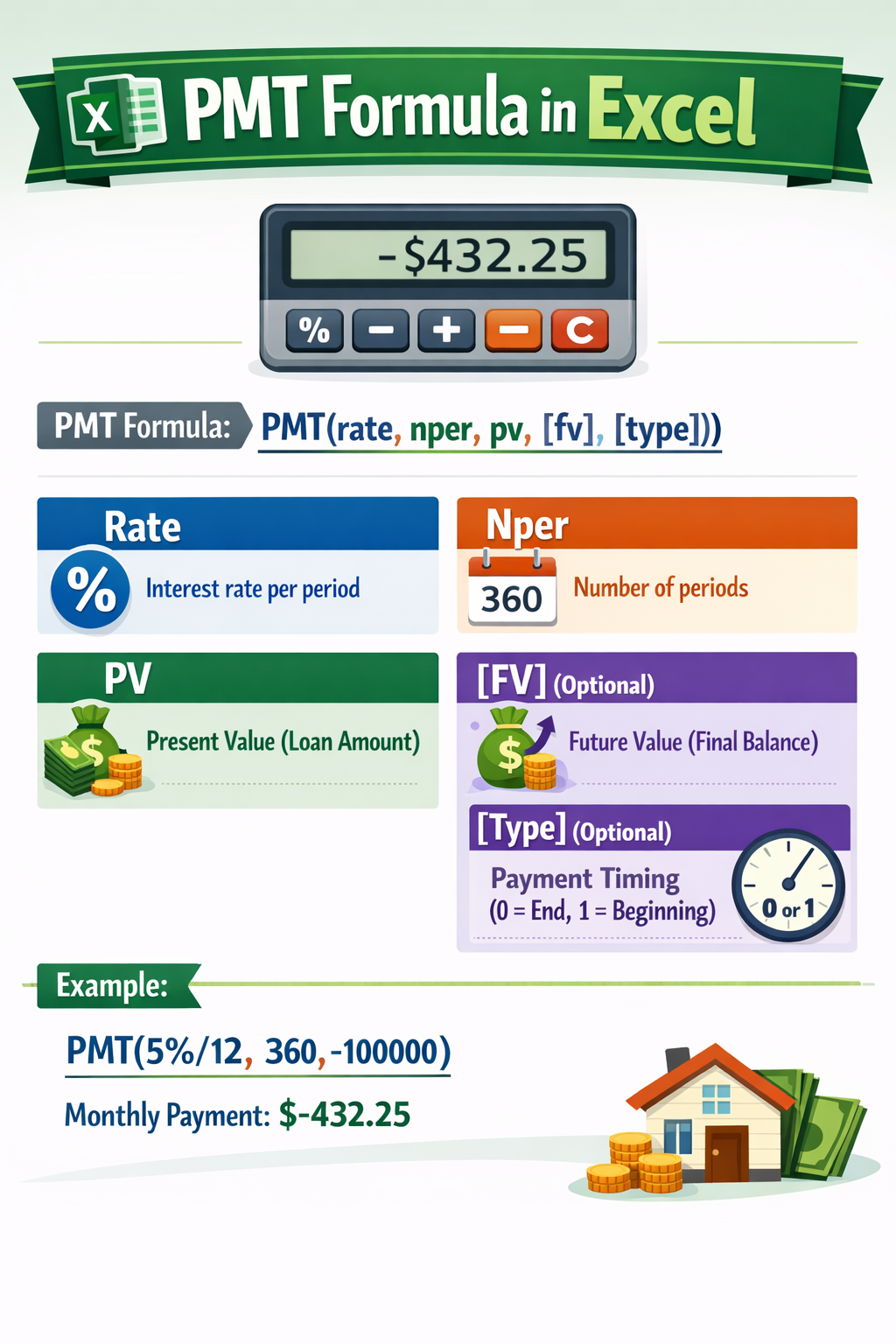
The standard PMT formula syntax is:
PMT(rate, nper, pv, [fv], [type])
Each part has a clear role. However, most people only need the first three arguments for loan calculations.
Explanation of Each Argument
Rate is the interest rate per period, usually monthly. Nper is the total number of payment periods. Pv is the present value, or loan amount. In addition, fv represents future value, often zero for loans. Type defines payment timing, either at the beginning or end of the period.
Why Monthly Conversion Is Crucial
Banks usually quote annual interest rates. However, PMT requires periodic rates. Therefore, annual rate must be divided by 12 and 100. Ignoring this step leads to wrong results. As a result, understanding rate conversion is essential for accurate PMT calculation in Excel.
How to Use the PMT Formula in Excel for Loan EMI Calculation
Step-by-Step Loan EMI Example
Suppose you take a loan of ₹6,00,000 at 9% annual interest for 10 years. First, convert interest into monthly rate: 9/12/100. Then convert tenure into months: 10 × 12. The Excel formula becomes:
=PMT(9/12/100, 120, 600000)
Excel instantly returns the EMI value. However, it shows a negative number because it represents payment. Adding a minus sign fixes the display.
Making the Formula Dynamic
Instead of hardcoding values, place loan amount, rate, and tenure in separate cells. Then reference those cells in the PMT formula. As a result, you can change values and see instant updates. This approach is perfect for loan comparison.
Why PMT Is Better Than Manual Calculation
Manual EMI formulas are lengthy and prone to error. However, PMT handles calculations internally. Moreover, it saves time and improves accuracy. Therefore, Excel PMT formula is always the smarter choice.
Using PMT Formula for Investment and Savings Planning
PMT for Monthly Investment Calculation
The PMT formula in Excel also works for investments. For example, if you want to accumulate ₹10 lakh in 10 years at a fixed return, PMT can calculate the monthly investment required. This is especially useful for goal-based planning.
Difference Between Loan and Investment Use
For loans, PMT calculates outgoing payments. For investments, it calculates regular contributions. Therefore, the logic is the same, but the financial meaning changes. Understanding this difference avoids confusion while using the formula.
Real-Life Use Case
Many salaried professionals use PMT to plan retirement or child education funds. By adjusting tenure or expected returns, they find a comfortable monthly amount. As a result, financial goals feel achievable instead of overwhelming.
Common Errors and Best Practices While Using PMT Formula
Entering Incorrect Interest Rate
One of the most common mistakes is entering annual interest directly. However, PMT needs periodic rate. Therefore, always convert annual rate properly. This single mistake can change results drastically.
Forgetting Payment Timing
The type argument decides whether payment is made at the beginning or end of the period. Most EMIs are paid at the end of the month. Therefore, leaving type as default usually works fine.
Best Practices for Accuracy
Always double-check units. Keep rates, tenure, and payment frequency aligned. In addition, label input cells clearly. These small habits make your Excel PMT calculations reliable and professional.
FAQs on PMT Formula in Excel
What is the PMT formula in Excel used for?
The PMT formula in Excel calculates fixed periodic payments for loans or investments. It helps determine EMI amounts or regular savings needed to reach a financial goal, assuming a constant interest rate and equal payment intervals.
How do I calculate EMI using PMT formula in Excel?
To calculate EMI, use PMT with monthly interest rate, total months, and loan amount. For example, =PMT(rate/12/100, years*12, loan amount) gives accurate EMI values for most loans.
Why does PMT return a negative value in Excel?
PMT returns a negative value because Excel treats payments as cash outflows. To display EMI as a positive number, simply add a minus sign before the PMT function.
Can PMT formula be used for SIP calculation?
Yes, the PMT formula can calculate SIP-style investments. By setting future value and interest rate correctly, you can find the monthly investment required to reach a target amount over time.
What is the difference between PMT and EMI formula?
The EMI formula is a mathematical expression, while PMT is Excel’s built-in function. PMT simplifies EMI calculation and reduces errors, making it more practical for everyday use.
Does PMT work for floating interest rate loans?
PMT works best for fixed interest rates. For floating rate loans, EMI changes over time. However, PMT can still be used for short-term estimates or scenario planning.
How accurate is the PMT formula in Excel?
The PMT formula is highly accurate when inputs are correct. Banks and financial institutions use similar calculations. Therefore, Excel PMT results are reliable for planning and comparison.
Final Thoughts on Using the PMT Formula in Excel
The PMT formula in Excel is simple, powerful, and practical. It turns confusing loan numbers into clear monthly figures. Whether planning a loan or setting an investment goal, PMT brings confidence and control. With basic understanding and correct inputs, anyone can use it effectively. If financial clarity matters to you, mastering the PMT function is a skill worth having.



Gonna give 555p999 a try. The name is a little weird, but hey, you never know where your next big win will come from! 555p999
Six6s6app is my go-to app now. Easy to use and always something new to check out. Definitely worth a look. Check it out here six6s6app
AK44vip has become my new favorite platform. Great selection and solid support. Highly recommended! Visit them here ak44vip